Webhook Events
Webhook Events shows what a subscription has actually been sent. One row is one event: what happened, on which record, how many times delivery has been attempted and where it stands.
The screen is opened with View Events on the subscription.
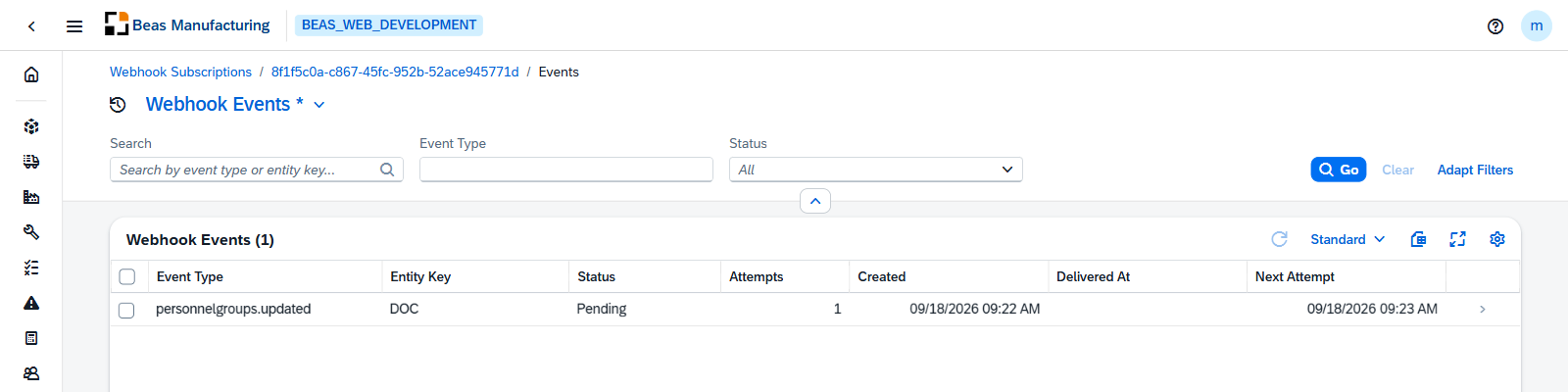
Columns
| Column | Description |
|---|---|
| Event Type | What happened. |
| Entity Key | The record it happened to. |
| Status | Pending, Delivered or Dead Letter. |
| Attempts | How many delivery attempts have been made. |
| Delivered At | When it was delivered. |
| Next Attempt | When the next attempt is due, for an event still pending. |
The search box matches event type and entity key.
Delivery Attempts
Opening an event shows every attempt made for it in a view that pops up:
| Column | Description |
|---|---|
| Attempt | The attempt number. |
| Requested At | When the attempt was made. |
| Status Code | What the endpoint returned. |
| Duration | How long the attempt took. |
| Status | The reported status of the attempt: Success or Failed. |
| Error | The error, where the attempt failed. |
Retry
Retry re-queues the selected events for immediate delivery, asking first how many are about to be re-queued. It is the way back for events that reached Dead Letter after the automatic attempts ran out.
Examples
Dead letters after an endpoint outage. Events that failed every automatic attempt end as Dead Letter and stay there — nothing retries them on its own. Once the endpoint is healthy again, select them and Retry; the delivery attempts of one event show whether the failures were timeouts or rejections, which is worth knowing before re-sending hundreds.
An event that says Pending long after it happened. Next Attempt is the field to read: an event waiting for a future attempt is behaving normally, on a backoff. One with attempts climbing and no Next Attempt has run out of them.