Calculation Schemas - List
The Calculation Schemas list holds the costing templates a precalculation uses. One row is one schema, with the switches that decide what it calculates automatically and which prices it takes.
A schema is what a precalculation is built on, and it is also offered as a lookup elsewhere — an item can name the schema its costing uses. The overhead rates a schema applies live under it, as its overhead costs.
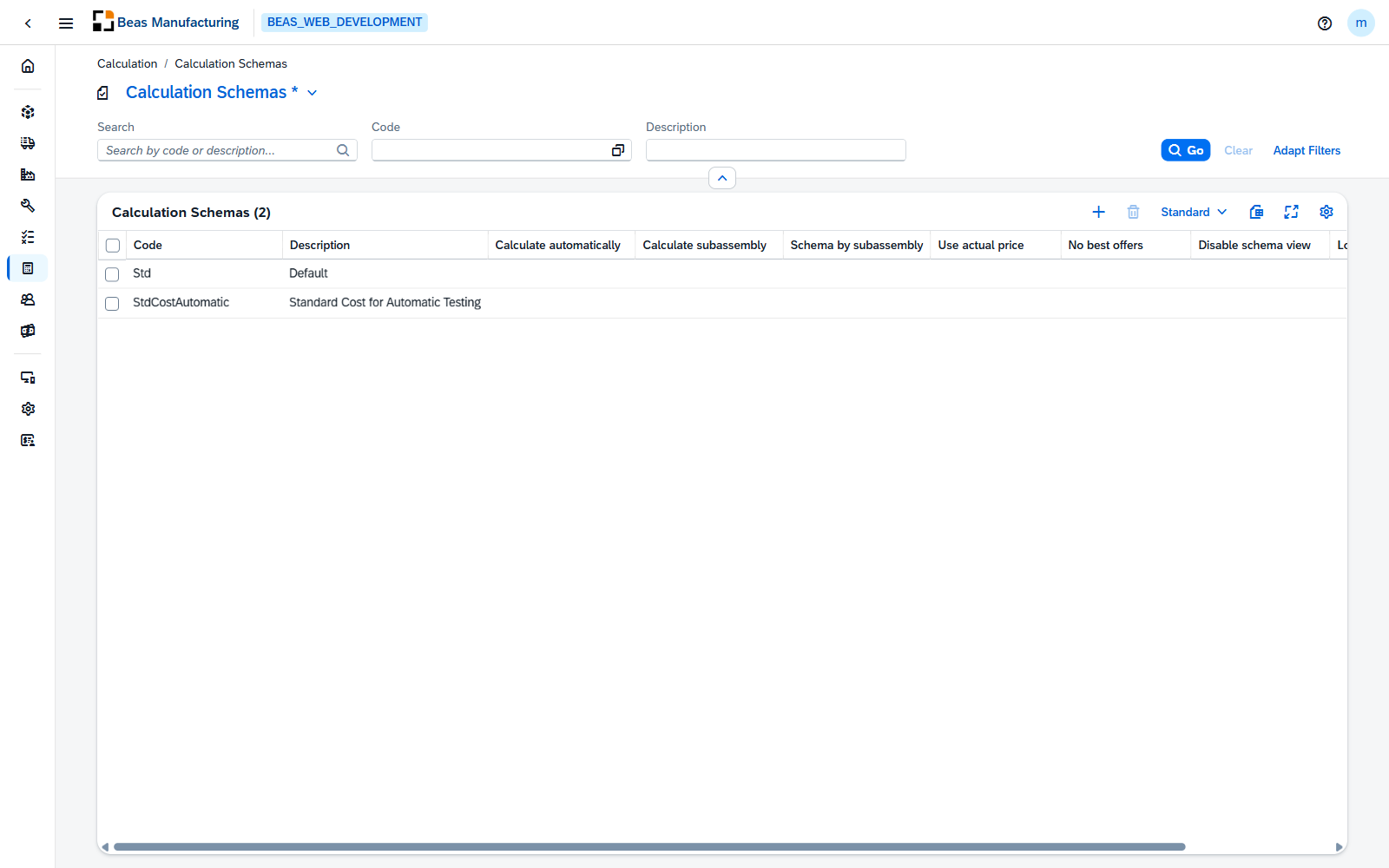
Default Columns
| Column | Description |
|---|---|
| Code | The schema's code. |
| Description | What the schema is for. |
| Calculate automatically | Check mark when the schema calculates without being asked. |
| Calculate subassembly | Check mark when subassemblies are calculated too. |
| Schema by subassembly | Check mark when each subassembly uses its own schema. |
| Use actual price | Check mark when the actual price is used instead of the planned one. |
| No best offers | Check mark when best offers are not taken into account. |
| Disable schema view | Check mark when the schema view is hidden. |
| Lock changes | Check mark when the schema is locked against changes. |
Additional Columns
Hidden columns are available in the tool bar settings ().
| Column | Description |
|---|---|
| Created | Date and time the schema was created. |
| Created By | User who created it. |
| Modified | Date and time it was last changed. |
| Modified By | User who last changed it. |