QC Batches to Verify
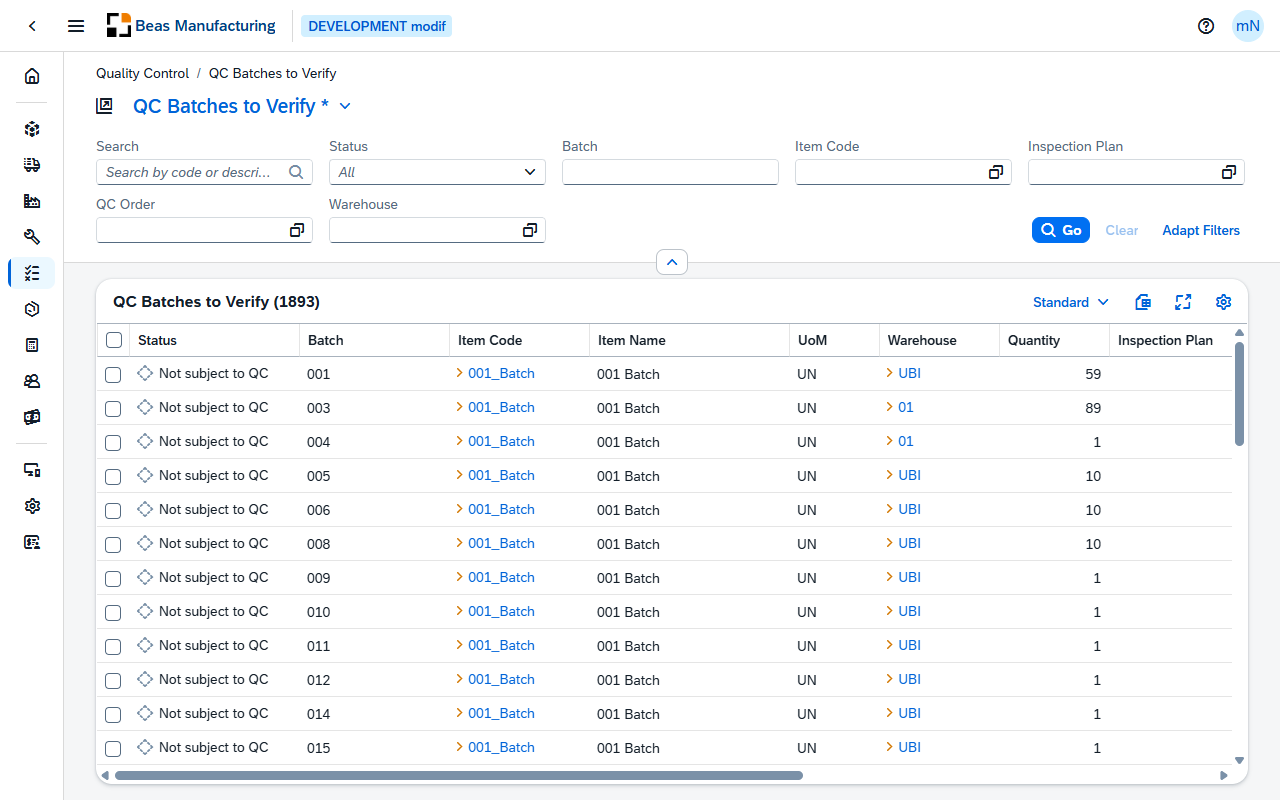
QC Batches to Verify is the working list of quality control: the batches in stock that a QC decision is still pending on. One row is one batch of one item in one warehouse, with the quantity in stock and the state of its inspection. Only released batches that still hold stock are listed.
The list answers "what has not been dealt with?" — a different question from what an individual QC order says.
Status
Every row carries one of three states, shown as an icon and a label:
| Label | Meaning | Indicator |
|---|---|---|
| Has QC order | An open QC order exists for the batch in this warehouse. | Green check mark |
| Not subject to QC | No open QC order, and no inspection plan is assigned to the item. | Grey circle |
| Needs QC order | No open QC order, and the item is subject to inspection. | Orange warning triangle |
A closed QC order does not count. A batch whose only order is closed shows Needs QC order again, and its QC Document, QC Order and Inspection Plan cells are empty.
Default Columns
| Column | Description |
|---|---|
| Status | One of the three states above. |
| Batch | The batch number. |
| Item Code | The item. Click the value to open it. |
| Item Name | The item's description. |
| UoM | The unit the quantity is in. |
| Warehouse | The warehouse holding the batch. Click the value to open it. |
| Quantity | The stock of the batch in that warehouse. |
| Inspection Plan | The inspection plan of the open QC order, where one exists. Click the value to open the plan. |
| QC Document | The document entry of the open QC order, where one exists. |
| QC Order | The open QC order raised for the batch. Click the value to open it. |
| Expiry Date | When the batch expires. |
| Manufacturing Date | When it was made. |
| Release Date | The date the batch was admitted into stock. |
Additional Columns
Hidden columns are available in the tool bar settings ().
| Column | Description |
|---|---|
| Lot Number | The lot the batch belongs to. |
| Manufacturing Serial | The manufacturer's serial number. |
| Location | Where the batch is stored. |
| Notes | Free text on the batch. |
| Drawing No | The drawing number of the item. |
| QC Info | Free-text information on the open QC order, where one exists. |
| Correction Factor | The correction factor applied to the open QC order, where one exists. |
| Check mark when the open QC order has been printed. |
Examples
A batch nobody is inspecting. Set Status to Needs QC order: those are the batches an inspection plan applies to and no open order has been raised for. That list should be short and should empty itself; one that grows is the sign that batches are arriving faster than quality control is working.
A batch that will never be inspected. Not subject to QC means no inspection plan is assigned to the item — a legitimate answer for most stock, and a mistake for an item that should have one. When a batch is unexpectedly in that state, the fix is an inspection plan for the item, not an order for the batch.
Expiry beating inspection. Expiry Date is in the list for a reason: a batch expiring before its inspection is finished is worth pulling forward. Sort on it when the pending list is longer than the team can clear in a day.